What Augment does
Augment rewrites a transcript the way you ask and offers you the result. It works on the current version, and your original words are kept whatever you decide.
Augment is written by a language model, and it can be wrong. Read each result against your original before you accept it.
Running it
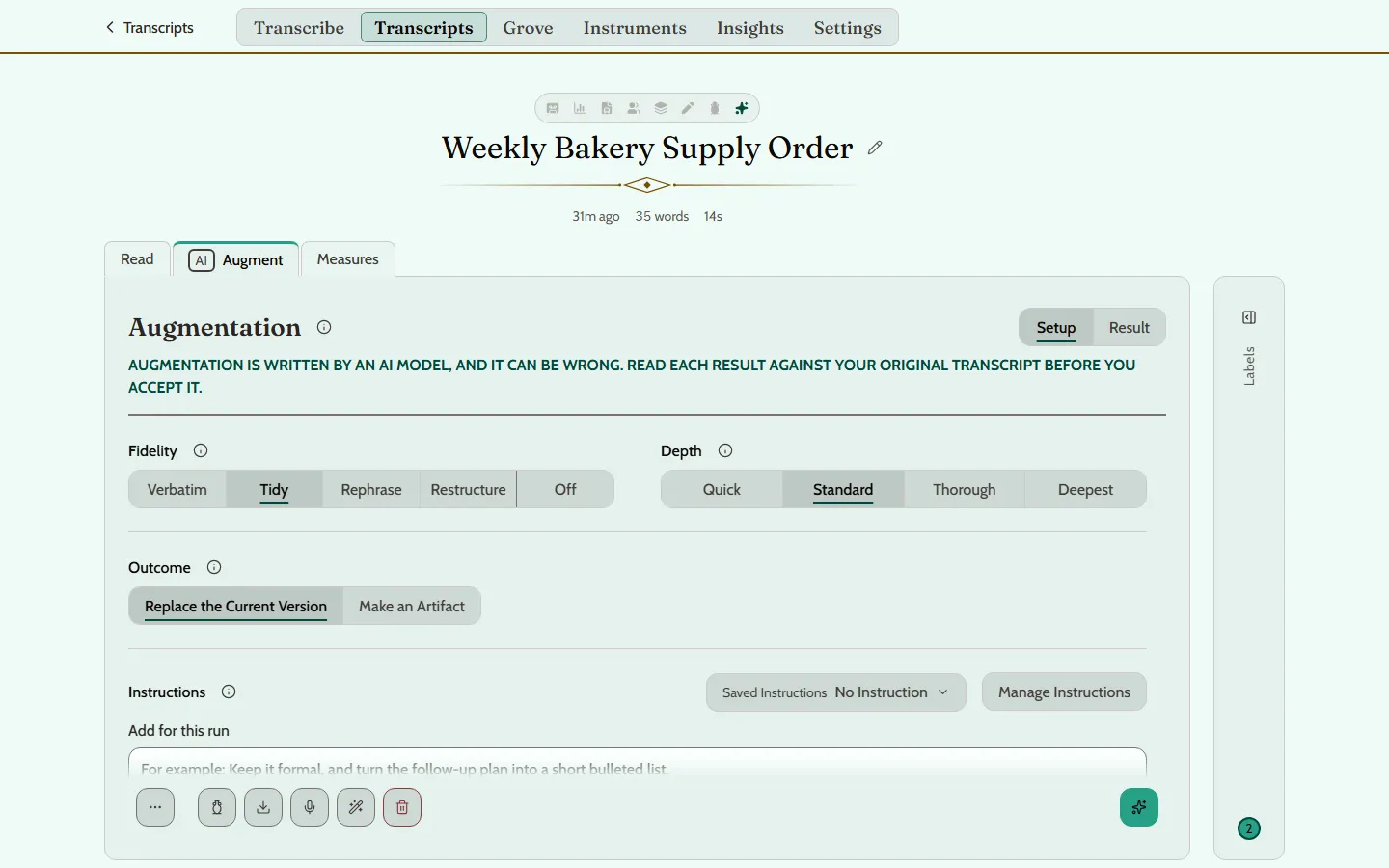
Open a transcript and choose Augment. Setup has four choices.
- Fidelity sets how far the rewrite may stray from your words.
- Depth sets which model rewrites it. Deeper takes longer and rewrites more carefully.
- Outcome says what an accepted result becomes: it replaces the current version, or it is made into an Artifact, a separate piece kept with the transcript.
- Instructions add your own directions for this run, typed in or picked from your saved ones.
Unless you change them, Fidelity is Tidy and Depth is Standard. Press Augment, the button at the right of the foot, to run it.
The four levels of Fidelity
- Verbatim. Exactly your words. Only transcription errors, such as a misheard word, are fixed.
- Tidy. Your words, minus the noise: fillers and false starts removed, grammar fixed, phrasing untouched.
- Rephrase. Your points, in your order, with reworded sentences. Tone and voice kept.
- Restructure. Your meaning, rearranged: ideas may be reordered, merged or cut for concision.
The result is a proposal
Nothing changes until you say so. Result shows the proposal, and Compare sets it against your words.
- Accept Changes takes it, as the Outcome you chose.
- Discard Proposal throws it away.
- Re-run tries again.
Your own Instructions
An Instruction is a direction written in plain words, such as “Turn this into a friendly email”. Write and keep your own in Instruments, under Instructions, on a computer. There you can test one on a sample, make one your default, duplicate it or delete it.
A saved Instruction can then be picked in a transcript’s Augment setup.
Augmenting on its own
Each new transcript is augmented as soon as it is transcribed, unless you turn that off. The switch is Augment automatically, in Settings under Augmentation Defaults, on a computer. The same page sets the default Fidelity, Depth and Instruction.