Where it is
On a computer, Settings is the last of the pages along the top. On a phone, it is the last name on the bar along the top.
The sections
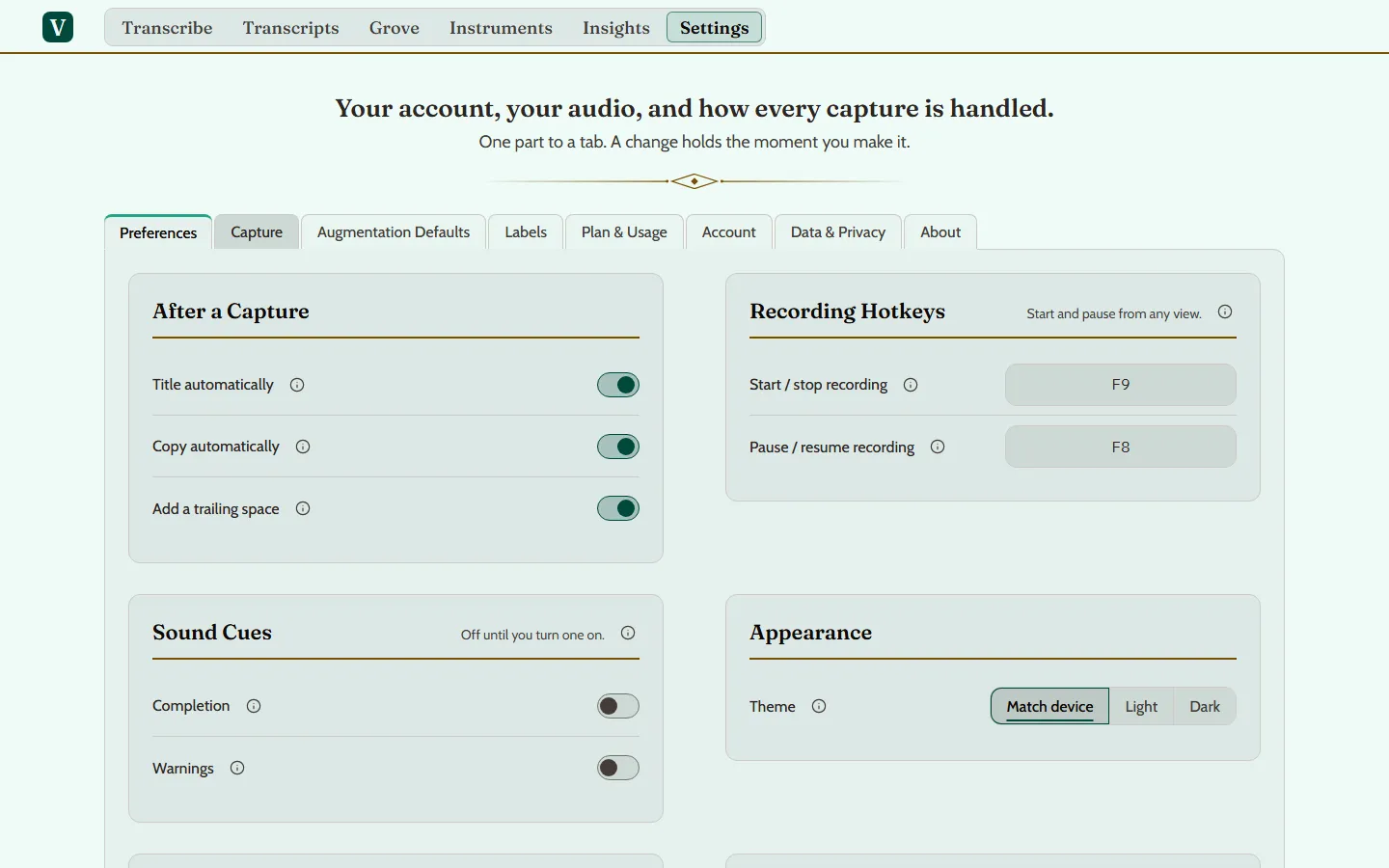
On a computer, Settings has eight sections.
- Preferences. What happens after a capture (Title automatically, Copy automatically), the recording hotkeys, sound cues, whether deleting asks first, and the theme: Match device, Light or Dark.
- Capture. Which microphone your captures use, a five-second recording to hear yourself back, and how many speakers a new capture assumes.
- Augmentation Defaults. Whether a new transcript is augmented on its own, and the Fidelity, Depth and Instruction it uses.
- Labels. Label suggestions and search by meaning, how sure a suggestion must be before it is offered, and offers to merge two labels that look like one.
- Plan & Usage. The plan your account is on, and what you have used: voice minutes, augmentation credits and storage.
- Account. Your name, your sign-in details and your time zone.
- Data & Privacy. How long a deleted transcript is kept, the recordings held on this device, Export Everything, and deleting your account.
- About. The version you are on, a way to contact support, and the terms you accepted.
On a phone
A phone’s Settings has five of them: Preferences, Capture, Plan & Usage, Account and About. The other three open on a computer.